





Skip to content
UZEM

Under your own brand, your online academy.

Publish your corporate training site, teach lessons, run exams, issue certificates and sell courses; all in one panel.

This address is free; you can add your own site name later.

  • Free plan with no time limit
  • One-click setup
  • No credit card required

Your own domain and AI on paid plans. Compare plans

  • Turkcell
  • Microsoft
  • Türk Telekom
  • Vodafone
  • QNB Finansbank
  • Nestlé
  • Mynet
  • Türkiye Petrolleri
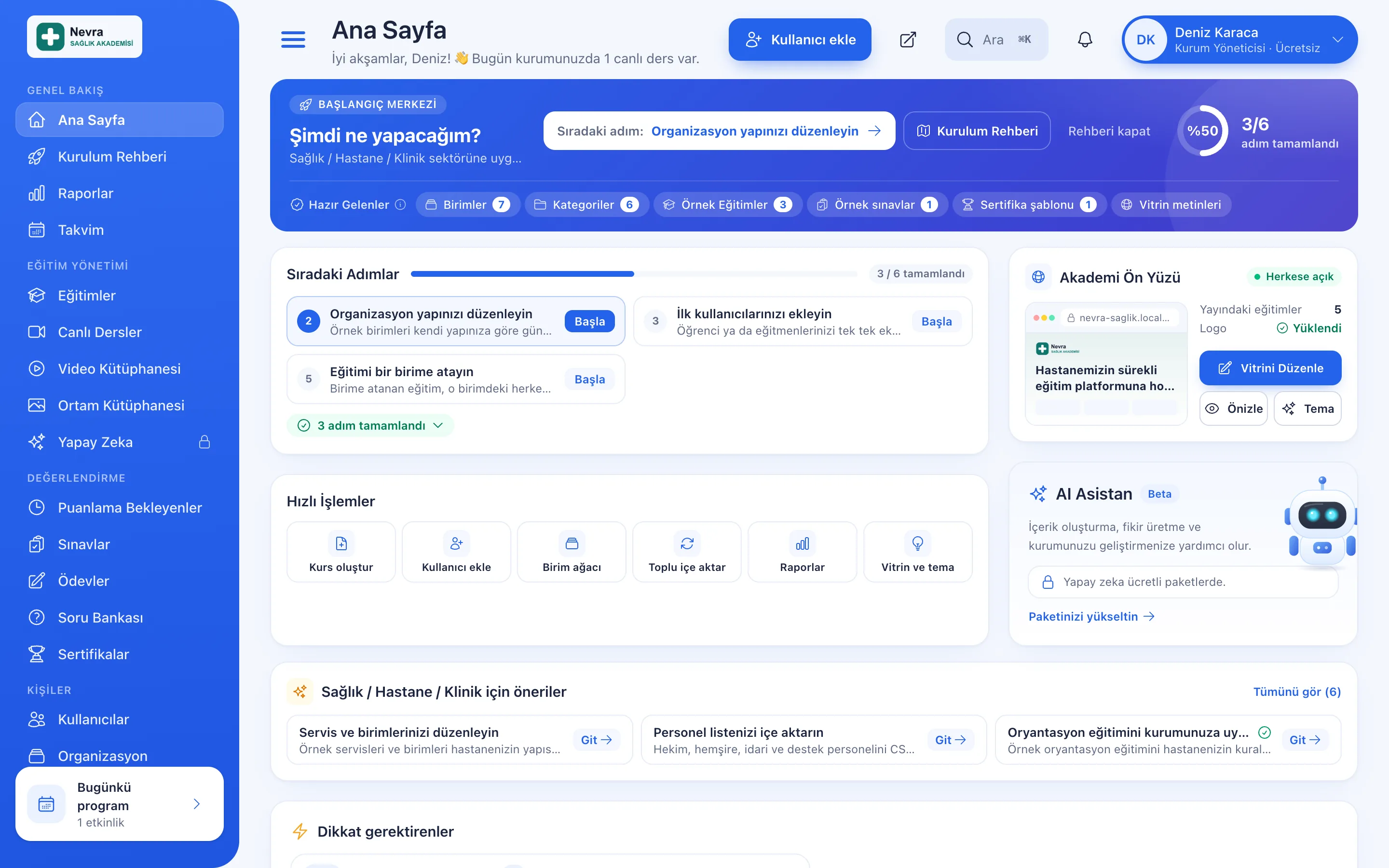
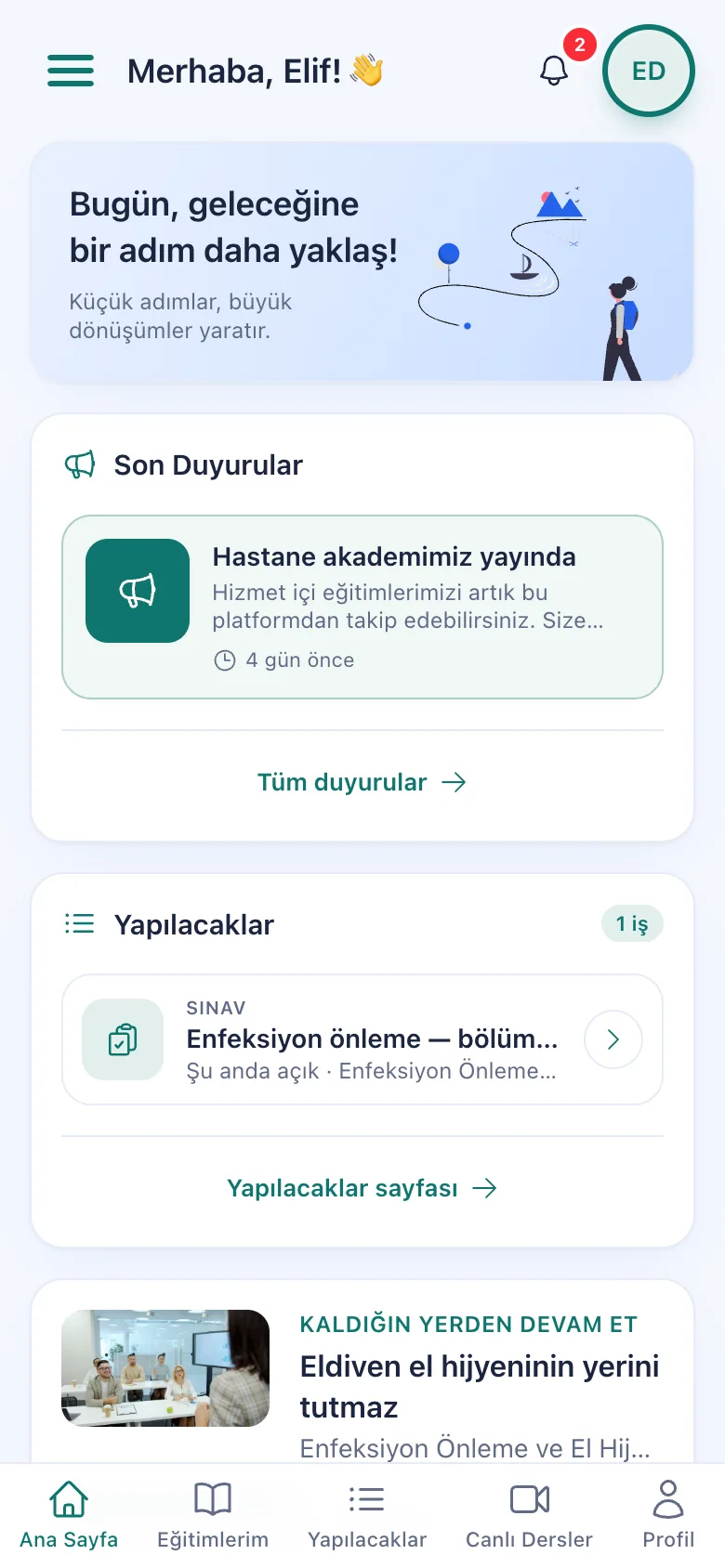
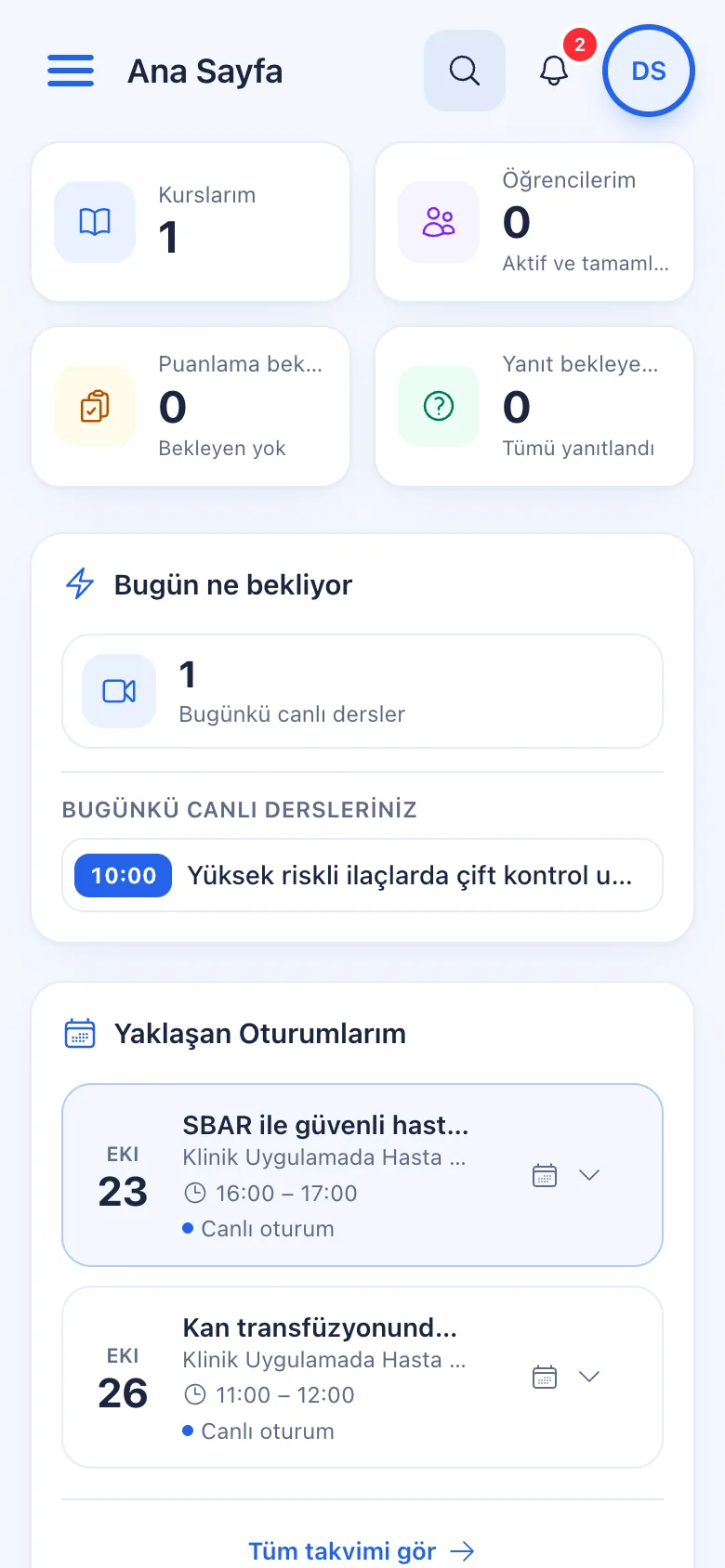
Admin panel: getting started hub, next steps and quick actions
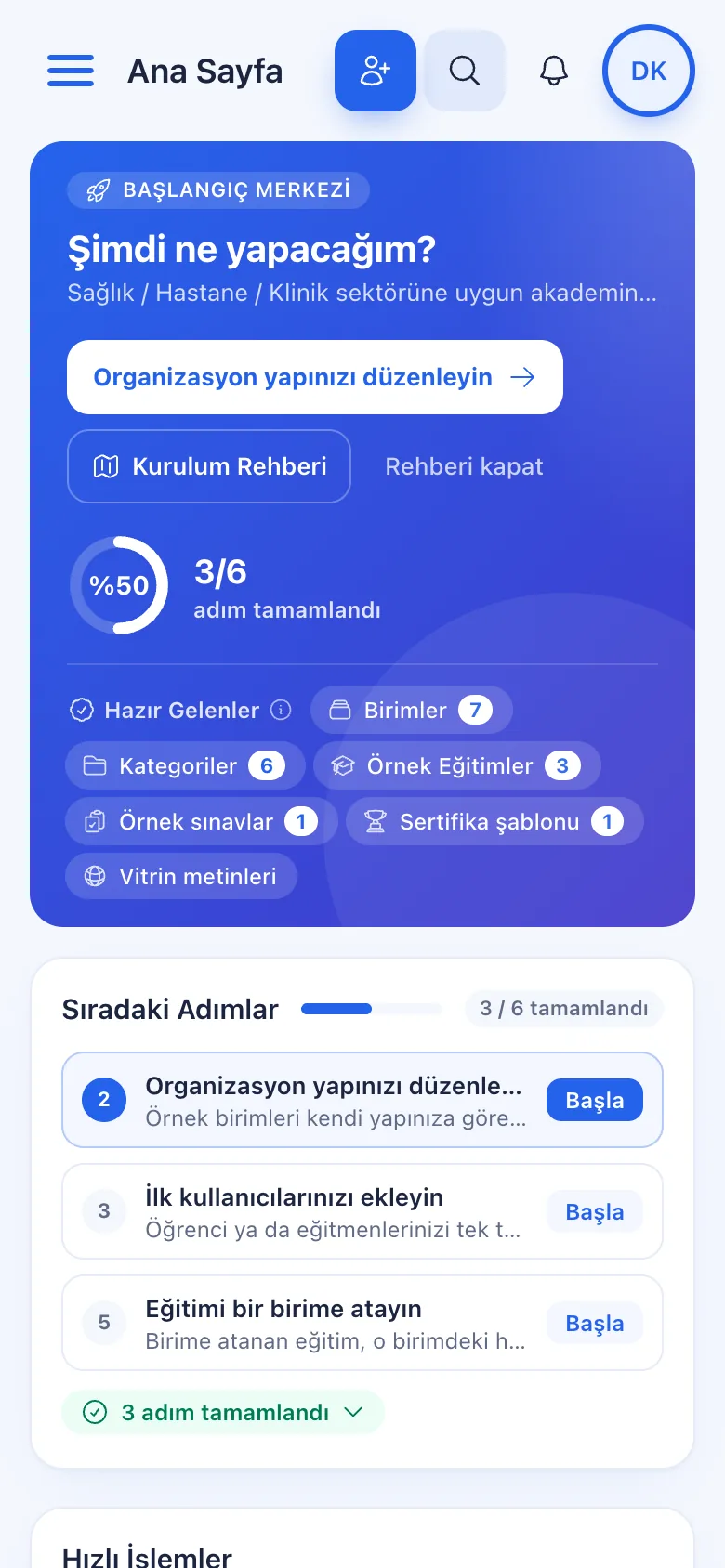
The admin panel on a phone

Sectors

Ready-made setups for your industry

Select your sector at sign-up.

Learner joining an online lesson from a laptop at home

Units

  • Genel Müdürlük
  • İnsan Kaynakları
  • Satış
  • Pazarlama

Setting up your Corporate Companies academy

Multi-department companies, holdings, sales teams, store and dealer networks, logistics and manufacturing: manage staff training unit by unit.

Categories

  • Oryantasyon
  • Zorunlu Eğitim
  • Mesleki Gelişim
  • Liderlik
  • KVKK & Uyum

Sample courses

  • Yeni Çalışan Oryantasyonu
  • Bilgi Güvenliği Temelleri
  • KVKK Farkındalık
Explore Corporate & commercial sectors

A dedicated solution for every audience

Employee guiding teammates working on laptops in a modern office

Employee Training

If training is scattered across emails, folders and class lists: gather all employee training in one corporate academy, assign it to people or units, and see who completed it in the report.

Explore : Employee Training

Teammate guiding a new employee at the computer on their first day

Onboarding / Orientation

Instead of explaining the same things to every new hire, schedule the first week: lessons unlock day by day, short quizzes confirm understanding, and managers follow the process.

Explore : Onboarding / Orientation

Instructor explaining a plan to partners on a whiteboard in a workshop

Partner / Dealer Training

If your dealers and partners learn about product changes late and incompletely: use a separate academy that carries your brand to deliver knowledge to every location at once, at the same quality.

Explore : Partner / Dealer Training

User joining online training from a laptop with headphones

Customer Training

Cut down the “how do I use this” questions reaching your support team: open a branded training center that teaches customers your product with video lessons, short quizzes and certificates.

Explore : Customer Training

Members listening to a training session in a bright hall

Member Training

Offer seminars, courses and announcements to association, chamber and foundation members from one address; record attendance and completion, and open courses for a fee if you like.

Explore : Member Training

Learners working together on laptops in a lecture hall

Student Training

Bring lessons, assignments, exams and live classes together on a single student platform for schools, course centers and universities; see where every student stands in the progress report.

Explore : Student Training

Sales team listening to a colleague presenting at a whiteboard

Sales Team Training

If it takes weeks for the field team to be ready when a new product launches: quickly update and measure your sales team’s knowledge with short video lessons, exams and a leaderboard.

Explore : Sales Team Training

Learner experience

A complete learning portal for your learners

Video lessons, live lessons, exams, certificates and community in the same portal; learners find everything with a single sign-in.
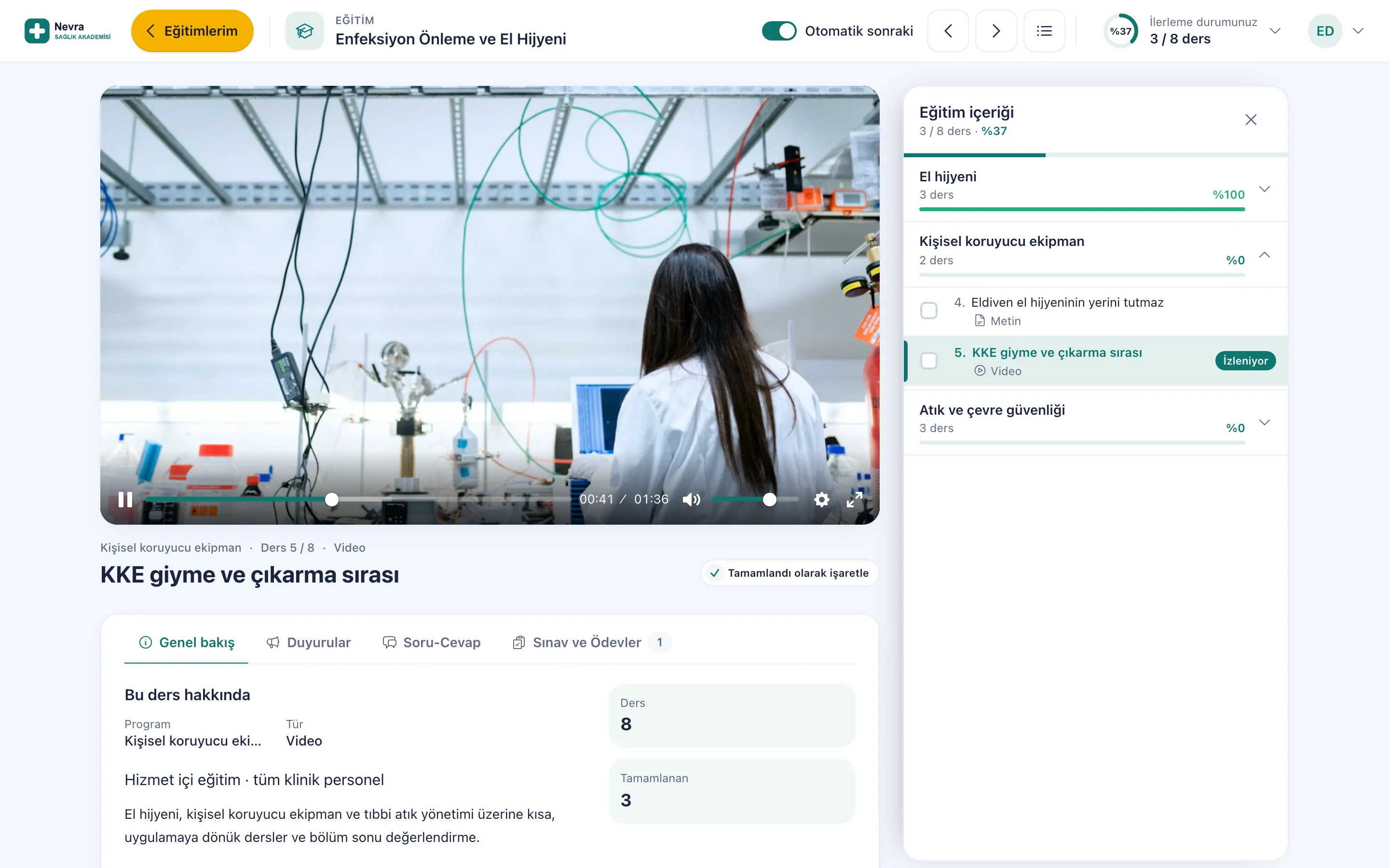
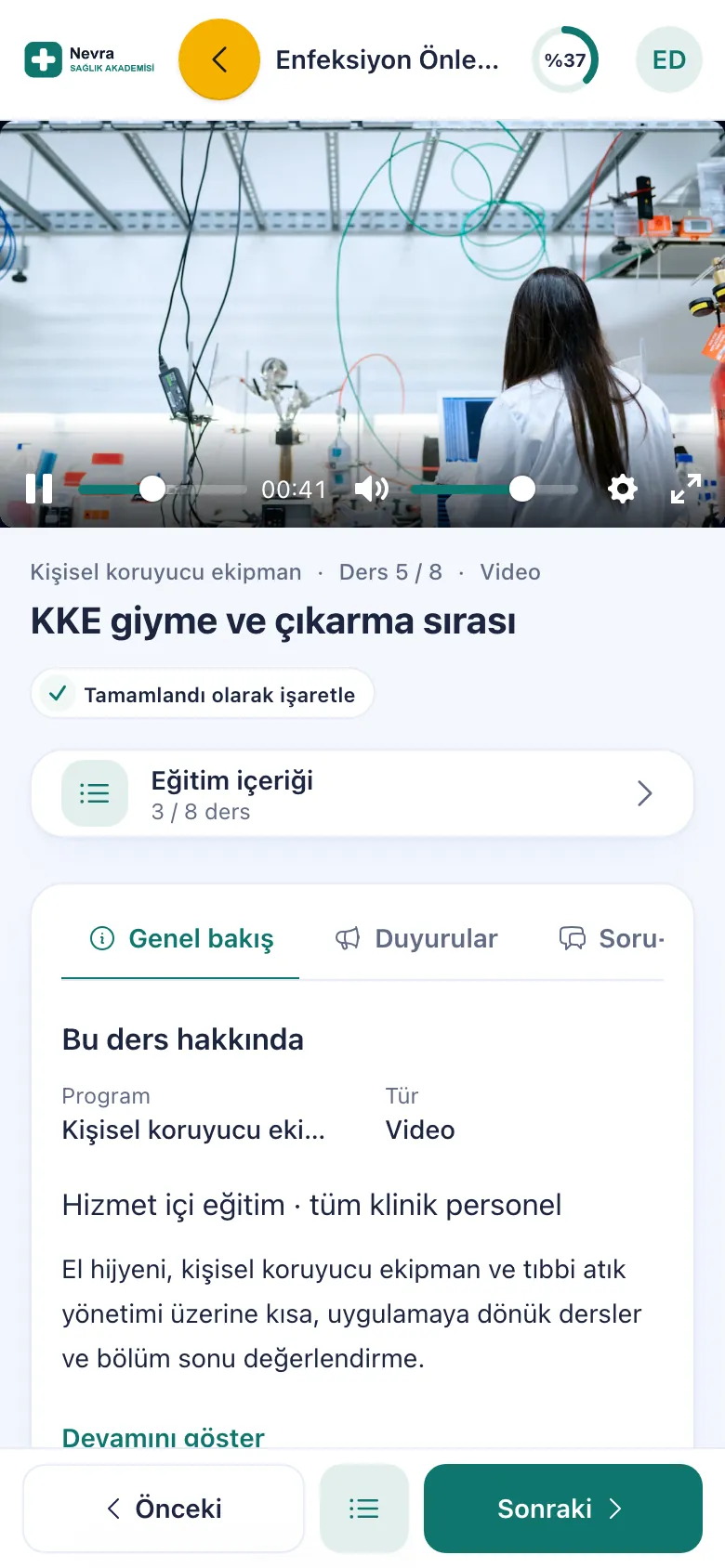
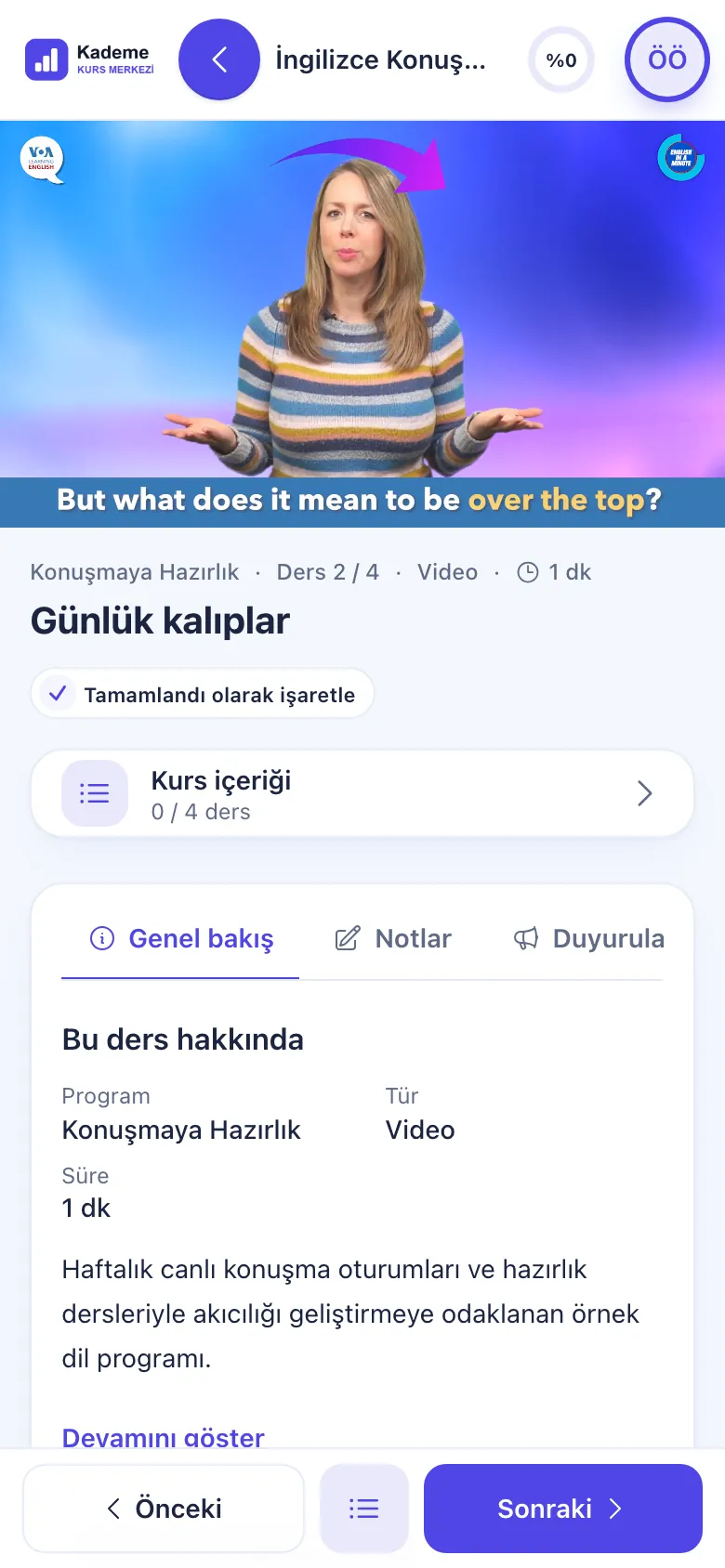
Learner screen: playing video lesson, course content and progress
The same video lesson on a phone

Video lessons protected by Uzem Stream

On every plan

Your videos are hosted on Uzem Stream infrastructure. Learners watch lessons in their own portal and see their progress.
  • Signed, short-lived video links
  • Learner-specific watermark if the organization enables it
  • Real watch time; skipped parts do not count
  • Lessons can unlock a set number of days after enrollment or in sequence
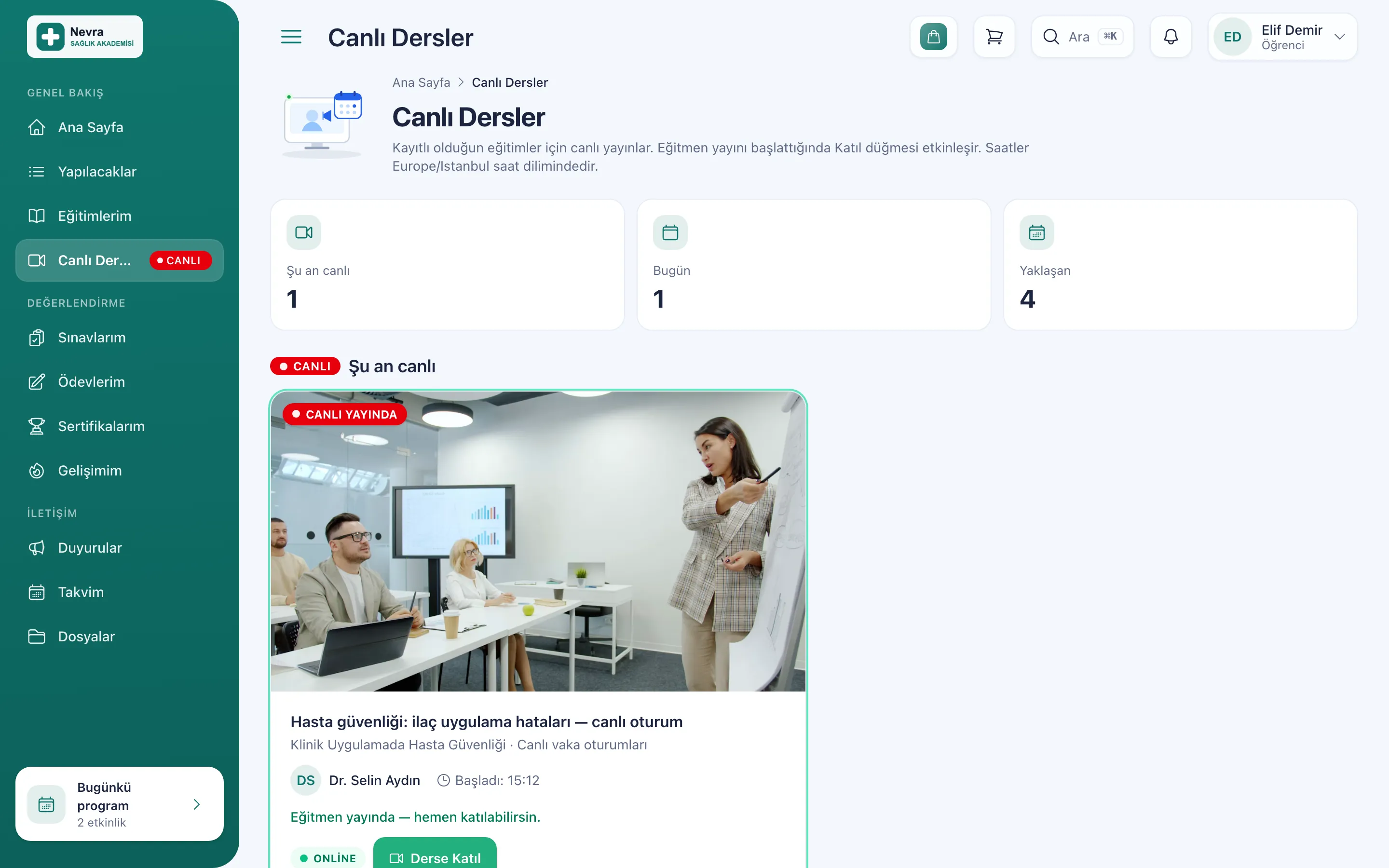
Learner screen: lesson live right now and the Join Lesson button
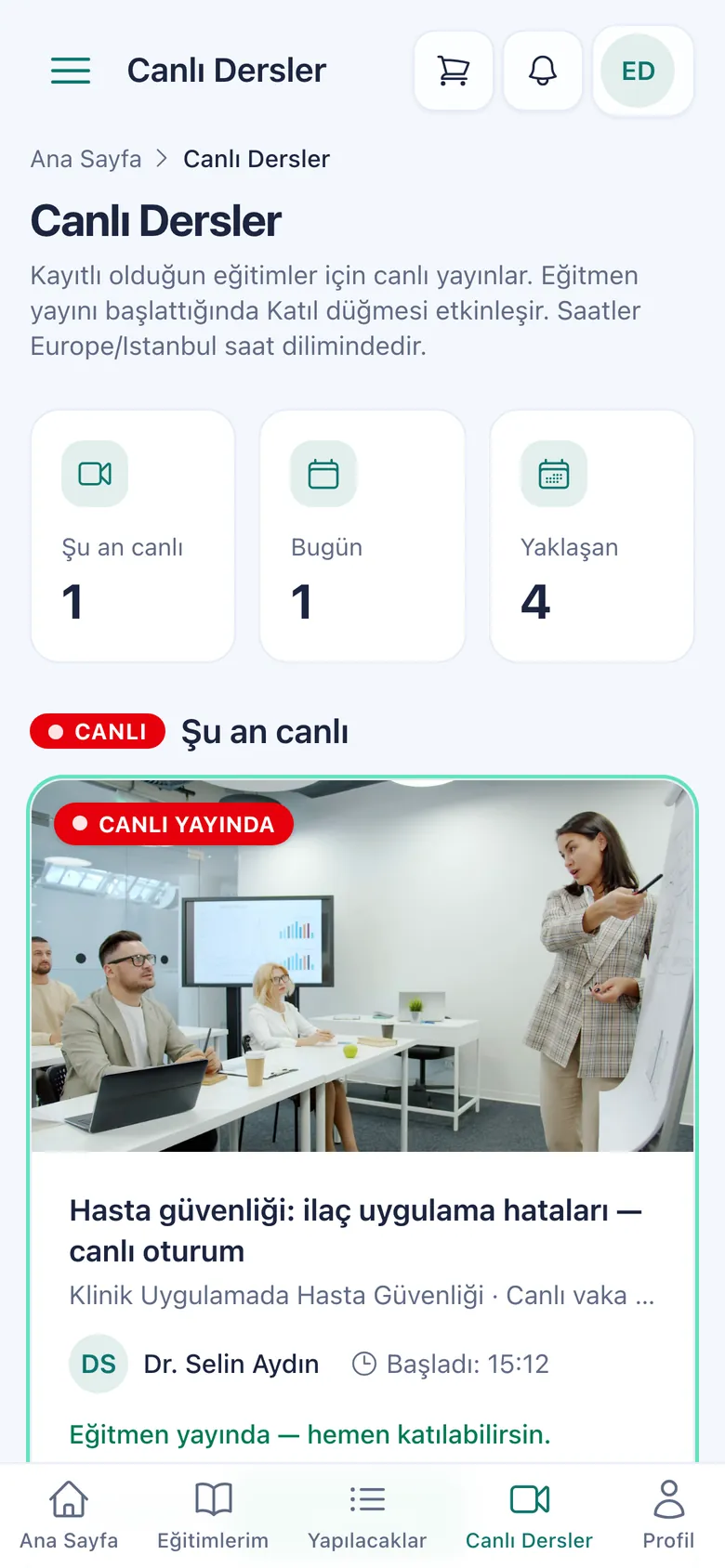
The live lessons screen on a phone

Live lessons with your own Zoom account, inside the portal

With your own Zoom account

You connect your organization's Zoom account to your academy; you schedule live lessons from the calendar and the instructor starts the broadcast from the panel. Learners join with the “Join Lesson” button in their own portal.
  • Live now, today and upcoming lessons on one screen
  • Attendance is recorded
  • If Zoom cloud recording is on, the recording is added to the lesson
  • Add to calendar (.ics) and notifications
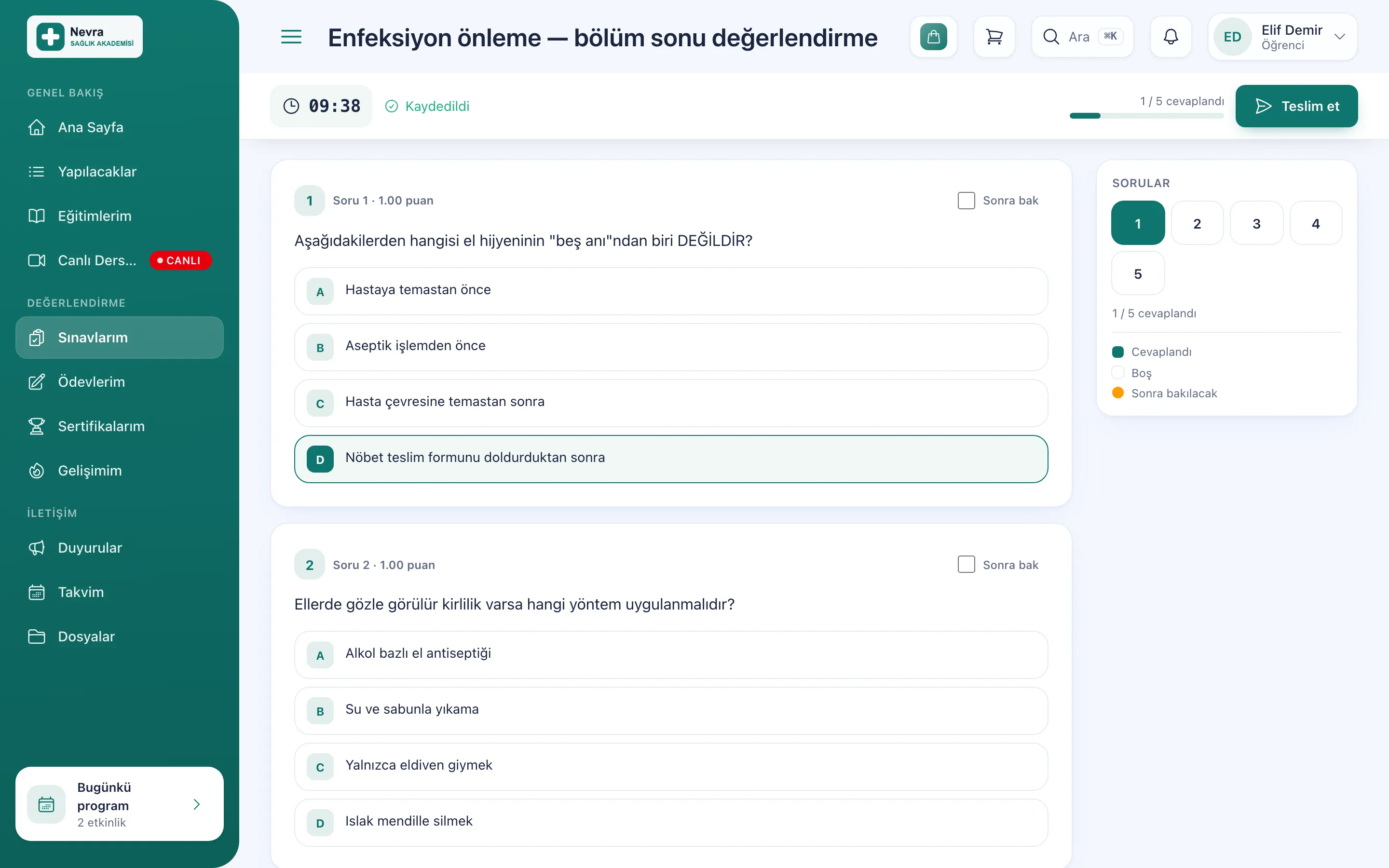
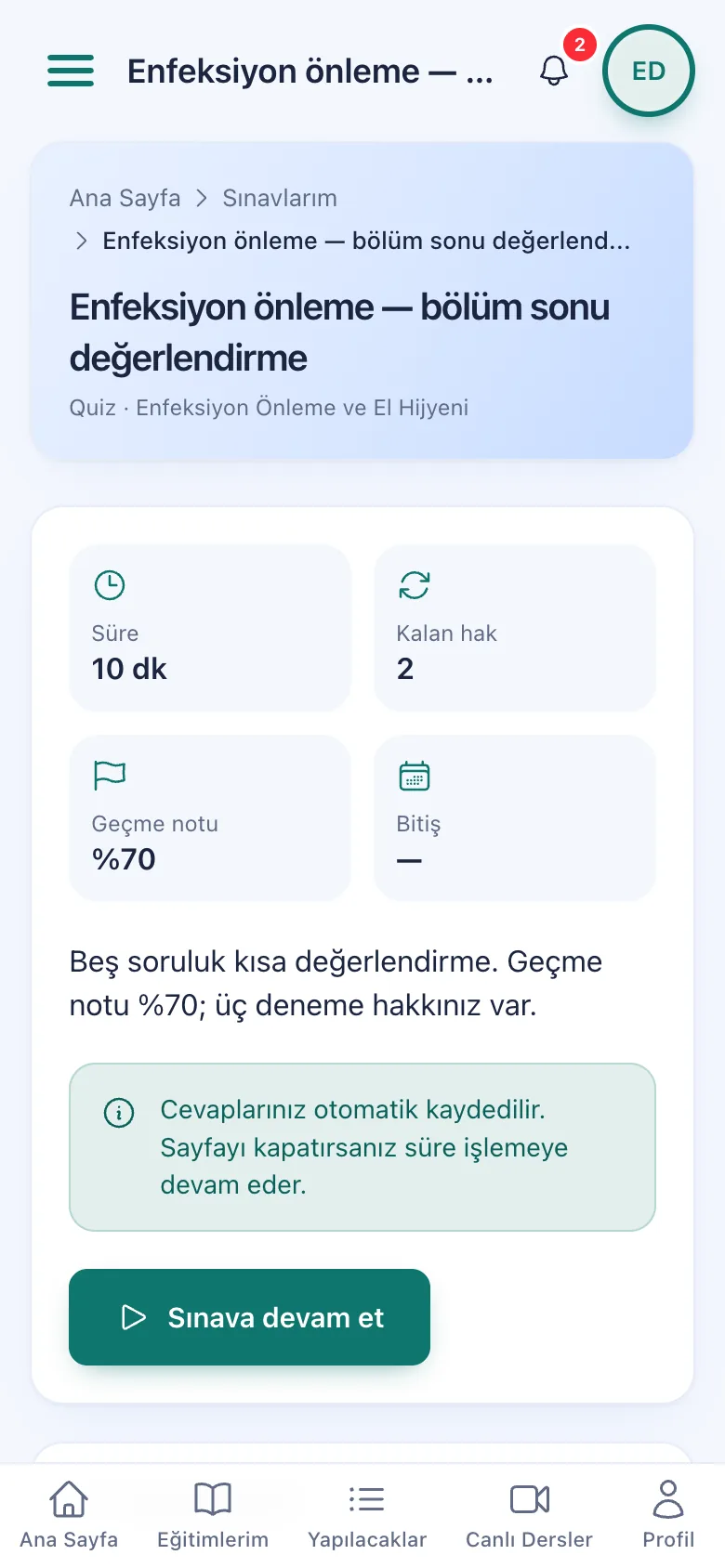
Learner screen: timed exam, question list and submit button
The exam screen on a phone

Exams, question bank and assignments

On every plan

Build exams from your question bank; you decide the passing score, how many attempts are allowed and when results are shown. Learners submit exams and assignments from their own portal.
  • Timed exams and quizzes
  • Question bank and question shuffling
  • Assignment submission and grading
  • Results in reports
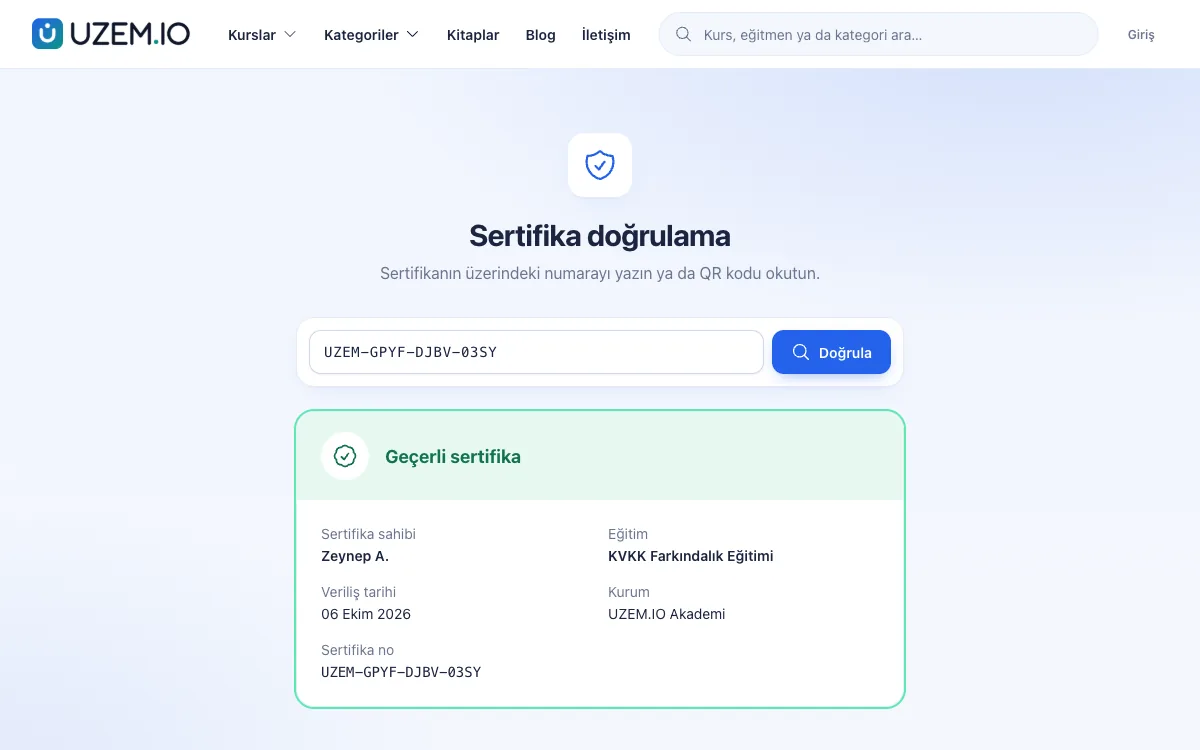
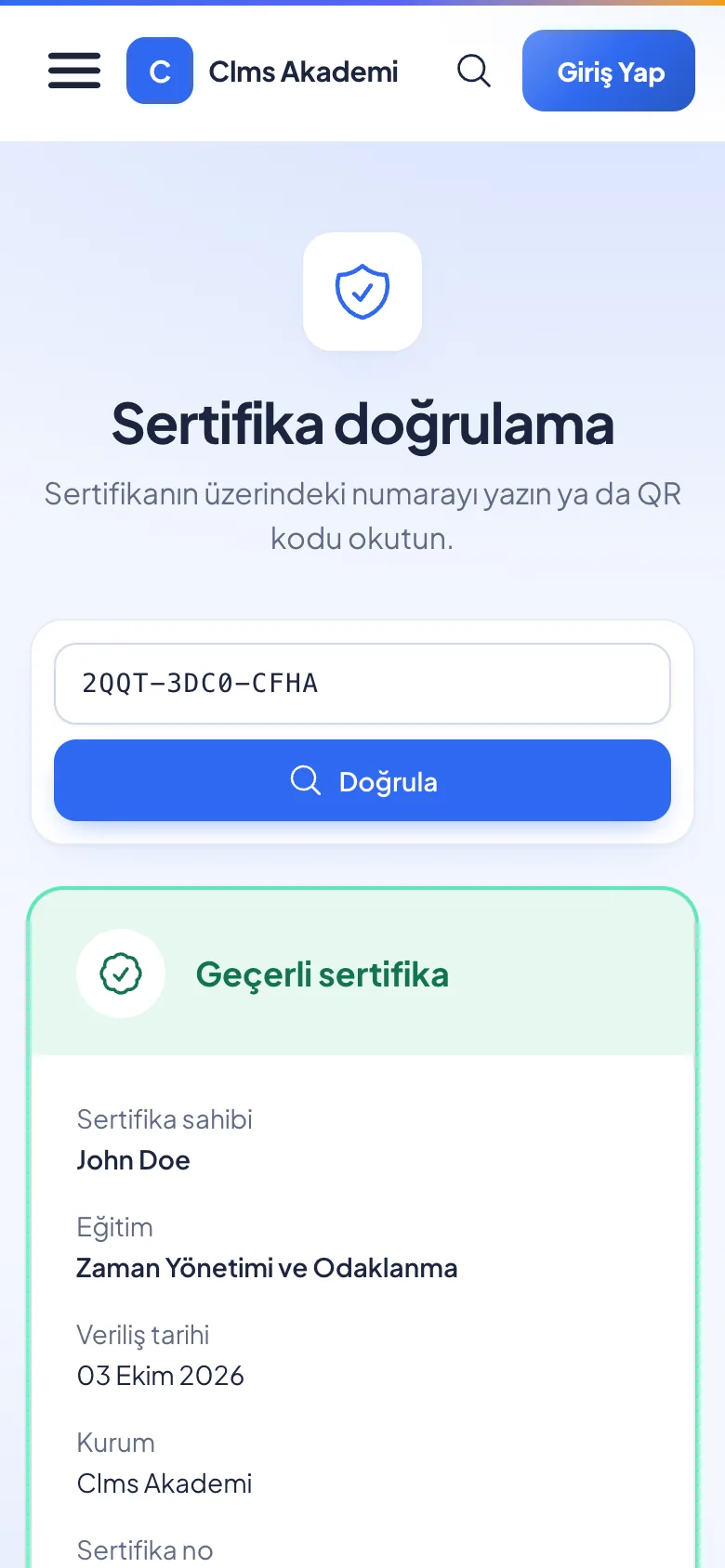
Certificate verification page: valid certificate, holder, training and issue date
The certificate verification page on a phone

Verifiable certificate

On every plan

Learners who complete the training receive their certificate. Anyone can check a certificate's validity on the verification page using its number or QR code.
  • Public verification page
  • Add-to-LinkedIn-profile link
  • Transcript downloads as PDF
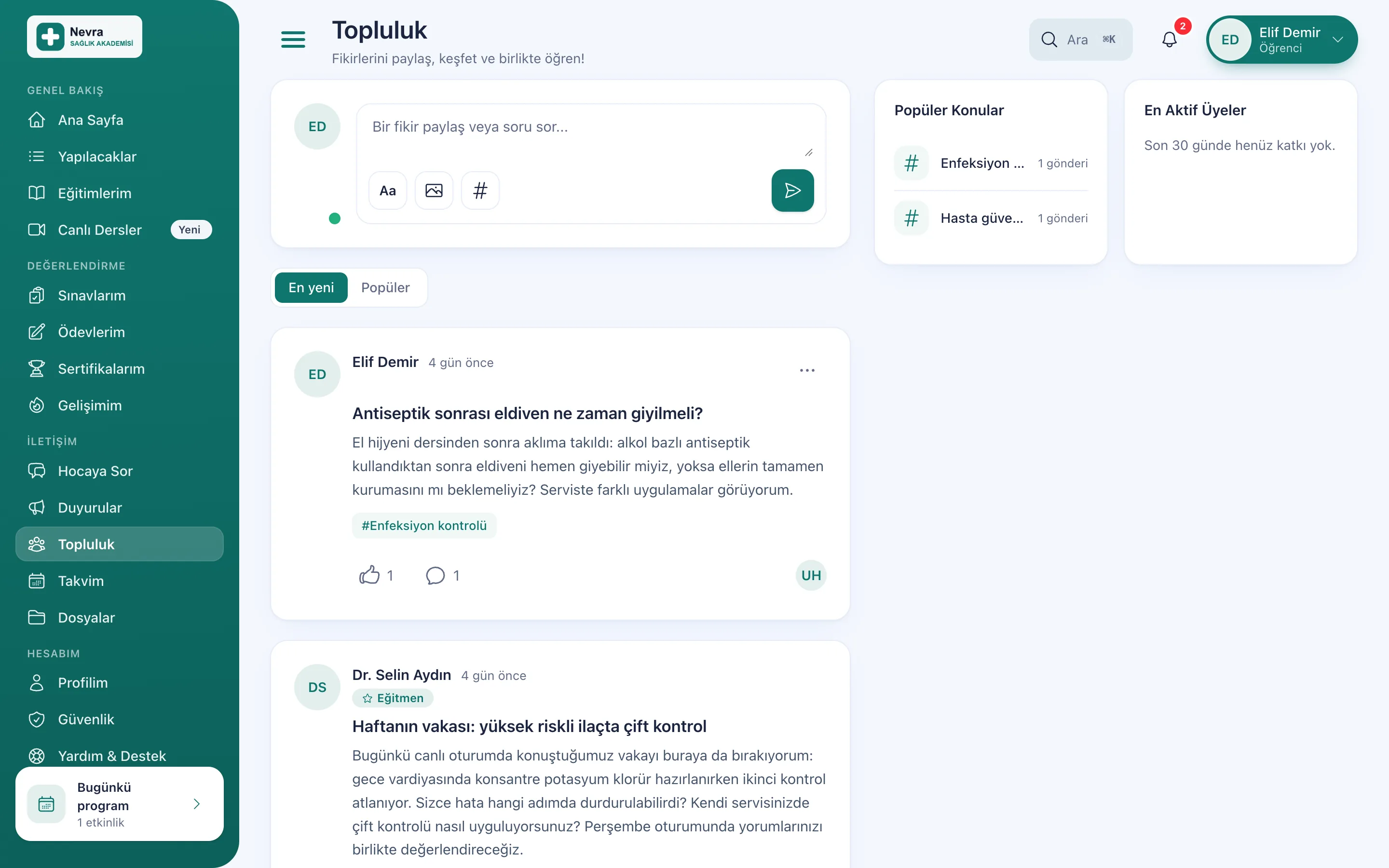
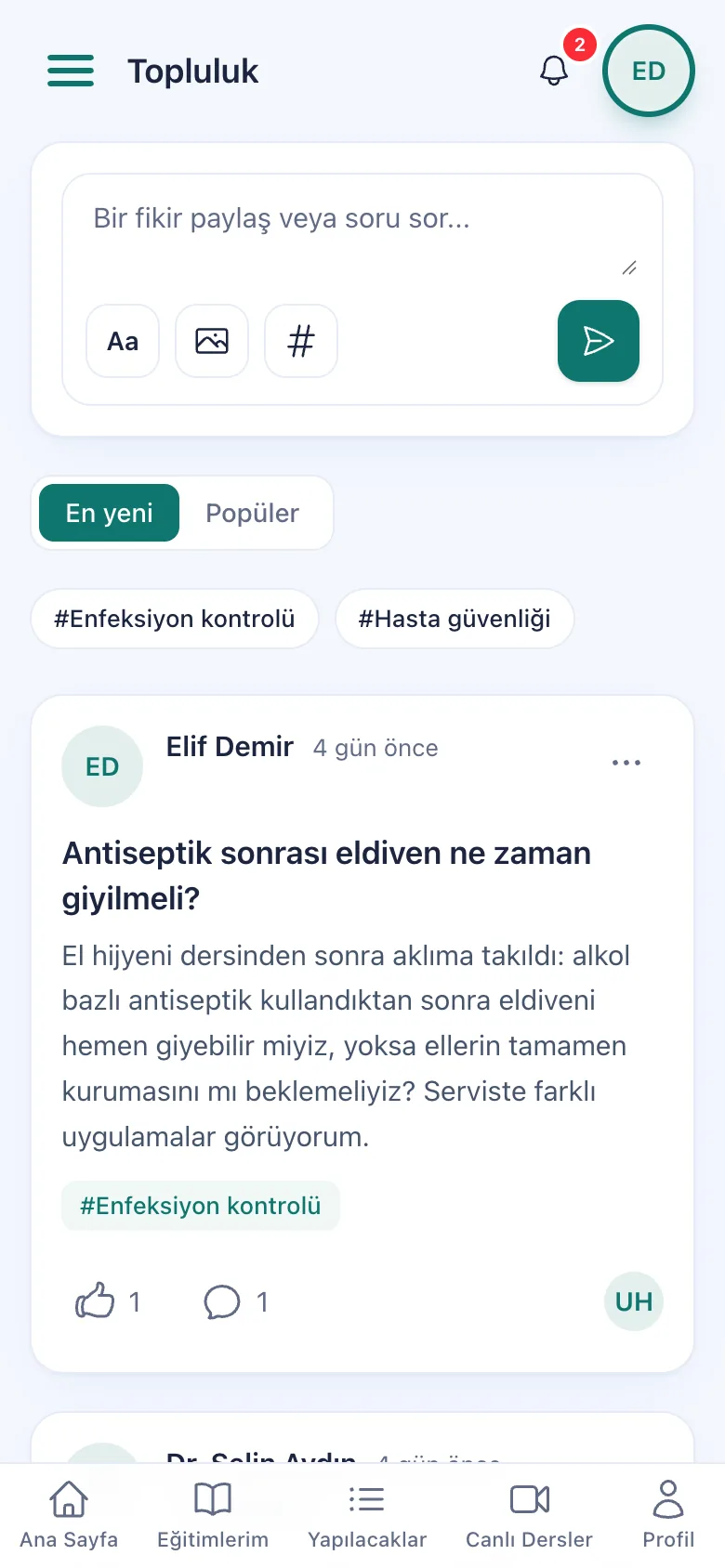
Learner screen: community posts, popular topics and most active members
The community screen on a phone

Community and gamification

Every plan · enabled by the organization

If the organization enables it, learners ask questions under topics, share experiences and discuss with the instructor; points, badges and a leaderboard make regular study visible.

  • Topic-tagged posts and comments
  • Points, badges, levels and leaderboard
  • Announcements and notifications

Works in the browser on phones, tablets and computers. Explore all features

Key platform features

Course sales

Sell courses and books without building an online store; revenue goes straight to your account.

  • Cart, coupons and bank transfer
  • Card payments to your own account
  • Printed books in the same order
Explore sales features
Course sales page: price, add to cart and buy now

Reports

Who completed what, how long they watched, how they did on exams: all in one panel.

Explore reporting
  • Excel, PDF and CSV
  • Scheduled email report

For organizations

Staff training in one place; “On request” modules are enabled after a call.

Book a corporate call
  • Units and unit managers
  • Mandatory training and development

AI

On paid plans: 200 AI credits / month. Everything it produces is a draft; you decide what gets published.

  • AI course builder
  • Questions from documents
  • Learning assistant
Explore AI

Security and access

Your content and data stay protected

Protection comes built in; your organization chooses settings like watermarks and single session.

Content protection

  • Signed, short-lived video linksA shared video link does not open once it expires.
  • Learner-specific watermarkIf the organization enables it, the viewer's details appear on the player.
  • Account sharing reportReal watch time and suspicious sharing show up in reports.

Account security

  • Two-factor authenticationUsers protect their account with an authenticator app (TOTP).
  • Single-session policyThe organization chooses: off, warn or end the old session.
  • Enterprise sign-in (SSO)Sign in with a Microsoft Entra ID or Google Workspace account.

Data and access

  • Organizations kept apartEach organization's data is isolated; no other organization can access it.
  • Ready-made roles and activity logPanel access is limited by roles; critical actions are logged.
  • Daily encrypted backupYour data is backed up daily, encrypted, off the server.

Integrations

Works with the services you use

Ready-made connections for live lessons, video, payments, SMS and enterprise sign-in. For payments and SMS you connect your own account.

    • Zoom

    Live lessons, attendance and cloud recording with your own Zoom account

    With your own Zoom account
    • Uzem Stream

    Video infrastructure, signed links

    On every plan
    • PayTR
    • iyzico

    Course sales by card

    With your own account
    • Netgsm
    • Mutlucell

    SMS notifications and verification

    With your own account
    • Microsoft Entra ID
    • Google Workspace

    Enterprise sign-in (SSO)

    On request
    • SCIM 2.0

    Automatic account sync

    On request

FAQ

Frequently asked questions

Answers to the most frequently asked questions before you start.

What is UZEM?

UZEM is an online learning platform (LMS) delivered as a service that organizations run on their own subdomain under their own brand.

Is my data secure?

Each organization's data is kept isolated; organizations cannot access each other's data.

Is it paid to create my online academy?
No. You create your academy for free and nothing is charged at sign-up. The free plan has no time limit; you move to a paid plan when you need your own domain, AI or more capacity.
Do you ask for credit card details at sign-up?
No, we don't. The sign-up form asks for your name, email, phone, academy address and password; your account is verified with a code sent to your email.
Can I use my own domain?
Yes, on paid plans. You connect your root domain (yourcompany.com) or a subdomain such as academy.yourcompany.com from the dashboard via CNAME or nameservers; the SSL certificate is set up automatically. On the Free plan, your academy runs on your free UZEM subdomain.
Can I run live sessions?
Yes. You schedule live lessons from the calendar, the instructor starts the broadcast from the panel with your organization's own Zoom account, and learners join from their own portal. The Zoom account and license belong to your organization; if Zoom cloud recording is on, the recording is added to the lesson.
How are my videos protected?
Your videos are hosted on secure video infrastructure and played through signed, short-lived links. If you wish, you can turn on a watermark with the viewing learner's details. Watch time, progress and suspected account sharing are reported.
How many learners can I add?
The number of active learners is set by the learner license quota of your plan. Inactive learners, instructors and admins do not use licenses; upgrade your plan when you need more.
Is my data kept separate from other organizations?
Yes. Each academy's courses, learners and sales belong only to that academy; no other organization can see this data. Dashboard access is limited by roles and permissions, and critical actions are logged.
Can I use business email with my own domain?
Yes, on paid plans. You create mailboxes and aliases and use your mail via webmail or Outlook, Apple Mail and phone apps. Business email works on your own domain connected to UZEM via nameservers (NS) and verified. It cannot be used on the free UZEM subdomain or on domains connected via CNAME or whose DNS is managed elsewhere.

Talk to our team

Let's plan your academy together

Tell us what you teach and to whom; let's work out the right setup for you together.

What can we talk about?

  • Setup and content migration
  • The right plan for you
  • Enterprise needs and quotes

Write to our team

Leave your name, email and a short note; our team will get back to you.

Send a message
No time limit Create a free academy

Cookie preferences

Strictly necessary cookies are used for the site to work. Analytics and marketing cookies are enabled only with your consent. Cookie policy

Cookie categories

Are you sure?