
What do you want to achieve?
Continuing Professional Development
Help professionals stay current throughout their careers by gathering seminars, courses and certificate programs in one development academy, with attendance history kept on each person’s record.
Suitable industries
- Corporate Companies
- Holdings and Groups of Companies
- Industry and Manufacturing
- Banking and Finance
- Healthcare / Hospitals / Clinics
- Pharmaceuticals
- Professional Chambers and Associations
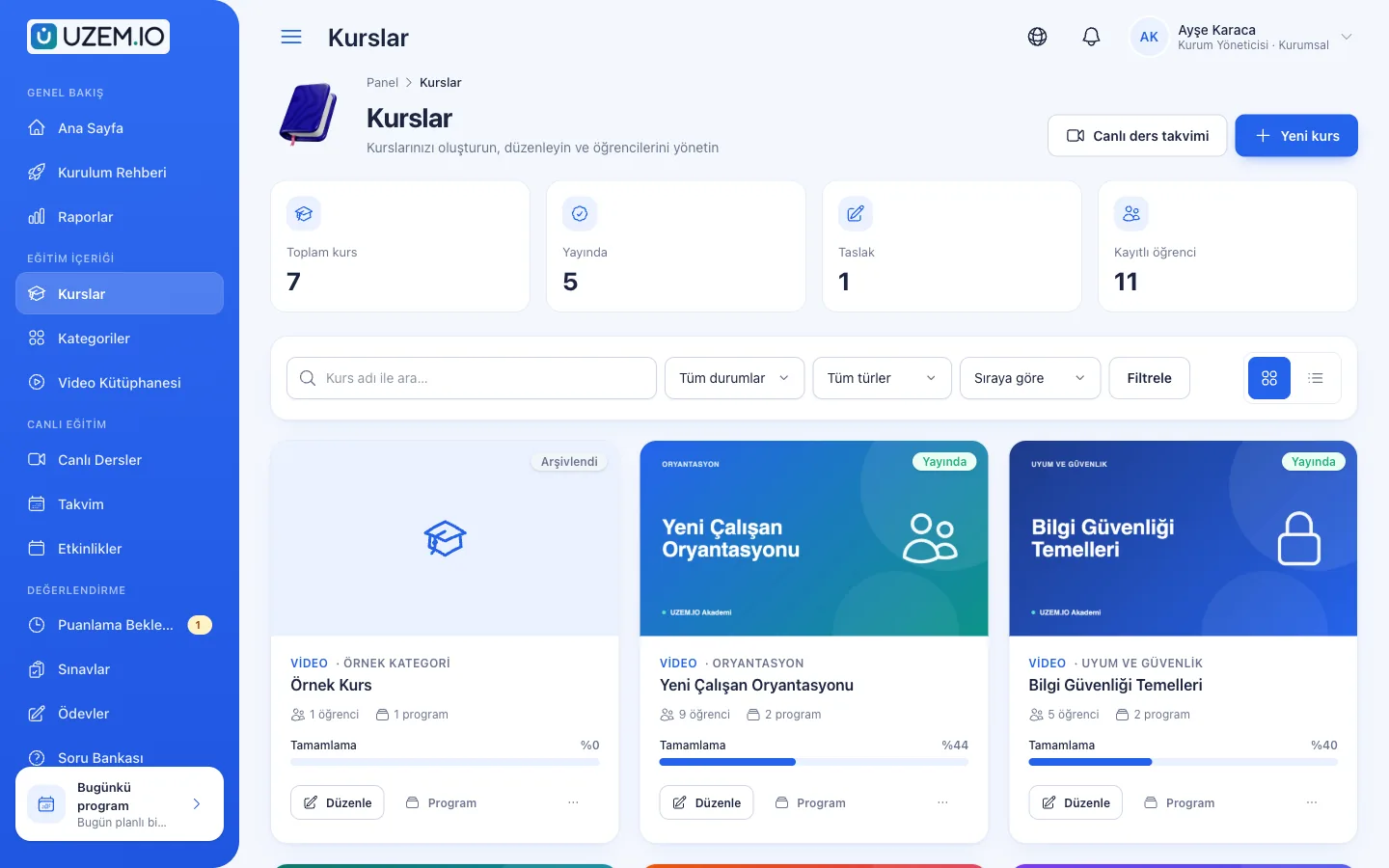
Overview
Professional knowledge gains value as it is refreshed
From healthcare to law and from engineering to finance, knowledge in many professions goes out of date quickly. Professionals need regular, accessible content to stay current. With UZEM you set up your professional development academy: live seminars on current topics are announced on the calendar and, if Zoom cloud recording is on, their recordings stay in the archive, short video lessons can be watched on demand, and completed programs are documented with certificates. The courses a participant completes and the certificates they earn are listed on their profile.

Problems and solutions
Problem
Seminars are tied to a specific day and time, and busy professionals cannot attend.
Solution
If Zoom cloud recording is on, live seminar recordings are archived; participants watch whenever suits them.
Problem
The training a professional has taken stays in scattered documents.
Solution
Completed courses and earned certificates appear in one place in the participant’s academy history.
Problem
Long programs do not fit a busy work schedule.
Solution
Content is split into short video lessons; participants progress at their own pace.
Problem
Discussion among peers does not continue after the training.
Solution
Sharing cases and experiences continues in the community area after the training ends.
Who is it for?
Healthcare professionals
Organizations providing current knowledge to doctors, pharmacists, nurses and other healthcare workers.
Professional chambers
Organizations that support their members’ professional development with regular programs.
Pharmaceutical and medical companies
Companies providing scientific information content to healthcare professionals.
Finance and legal professionals
Experts who need to keep up with regulatory and practice changes.
Use cases
- Monthly current-topic seminars A live seminar on a different topic each month, with an archived recording.
- Case discussion programs Cases presented on video and discussed in the community area.
- Paid specialization programs Offer in-depth programs for a fee in the storefront.
- AI-assisted review On paid plans, participants review topics by asking the AI assistant questions about course content.
Features
Features used
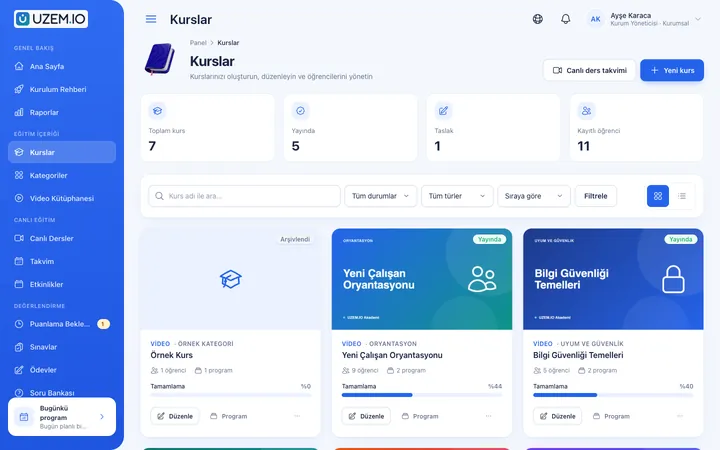
Course and Program Management
Organize your courses into programs and lessons; bring video, text, PDF, files, exams and live sessions together in a single flow.
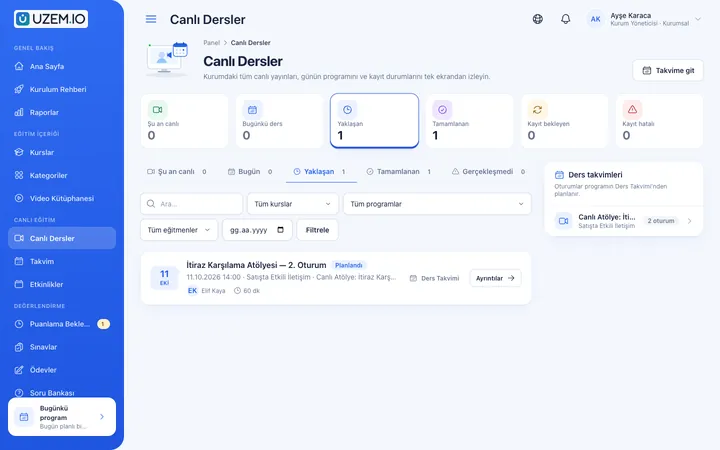
Live Training
Schedule live sessions inside your courses with your own Zoom account; attendance is recorded and, when Zoom cloud recording is on, the recording is added to the lesson automatically.
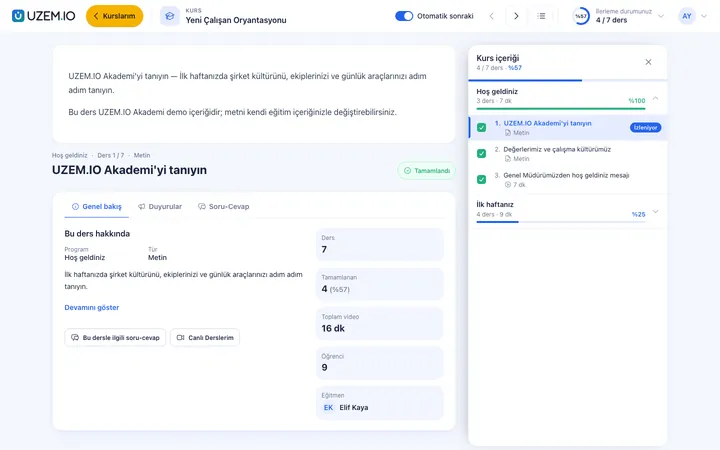
Video Training
Publish your video lessons through signed, short-lived links; record real watch time and complete lessons at 90% viewed.
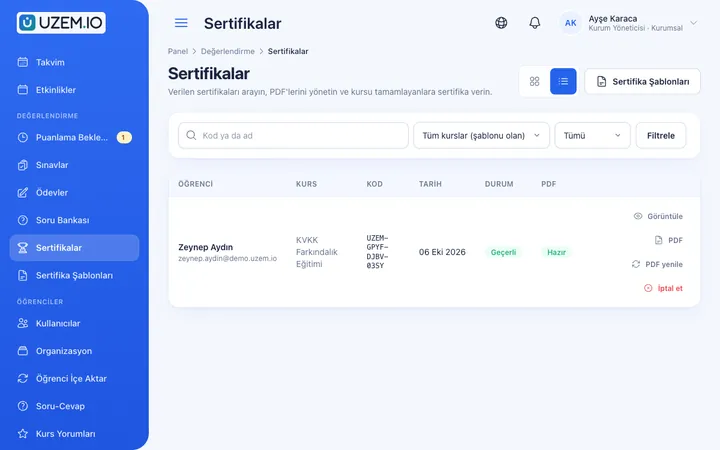
Certificates
Automatically issue certificates in your own design, verifiable by QR code, to everyone who completes a course.
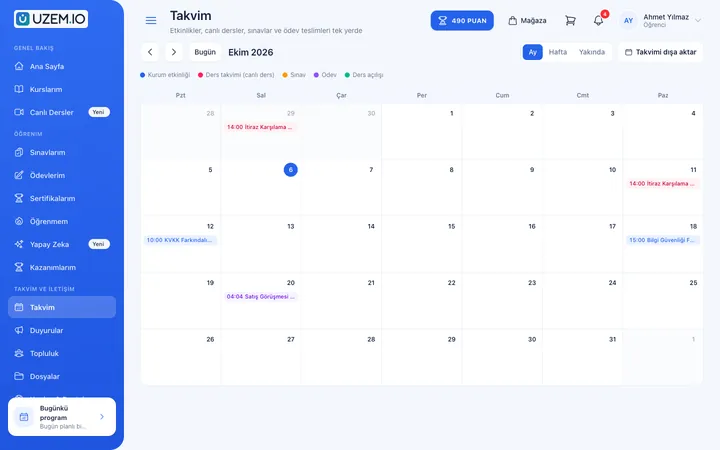
Class Calendar
Show live sessions, events and key dates together in each learner's own calendar.
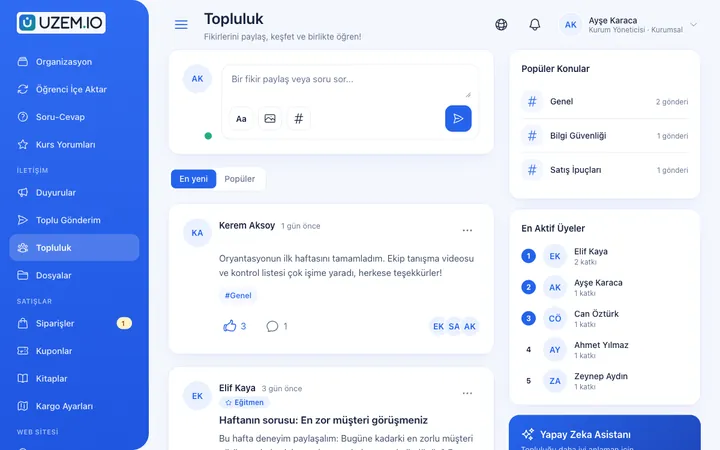
Community
Open a community space where your learners ask questions under topics, share experiences and help each other.
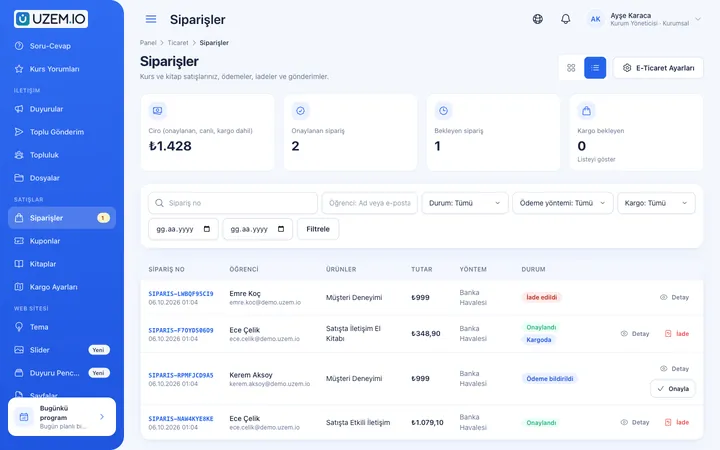
Course Sales
Sell courses from your own academy with a cart, coupons, bank transfer or card payments through your own PayTR or iyzico account, and printed books by bank transfer.
Reporting
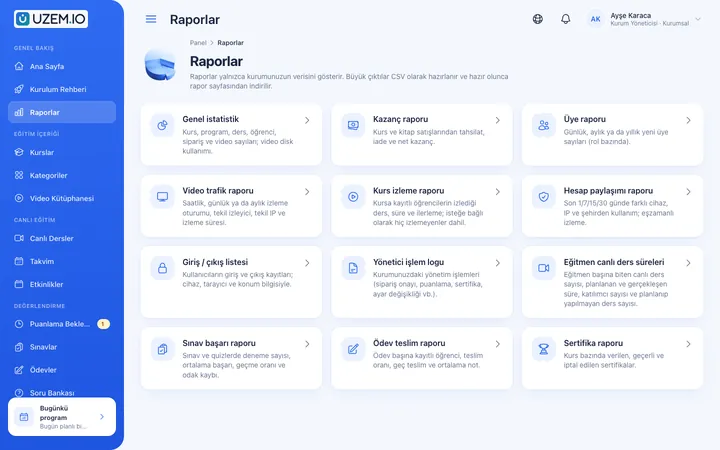
Report on course progress, video viewing, exams, assignments, certificates, live sessions and sales; export to CSV, Excel or PDF, or get reports by email weekly or monthly.
AI Assistant
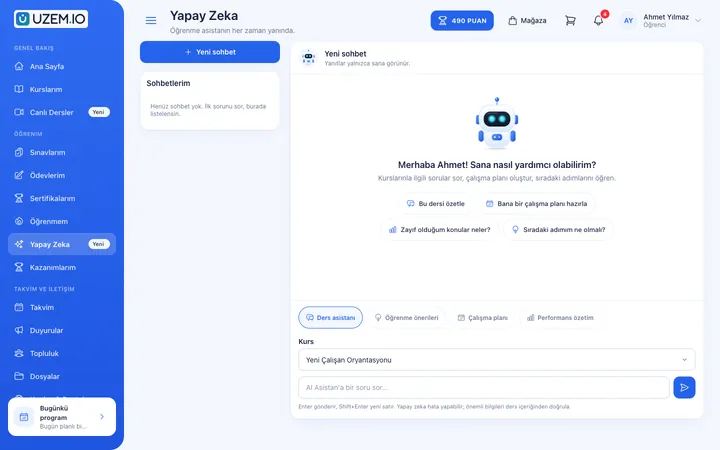
An assistant learners can ask about course content; draft courses and question generation from documents for your training team. On paid plans, with monthly AI credits.
Try this setup in your own academy
No credit card required; explore a dashboard set up with sample content right away.
How does it work?
- Build the program calendarPlace the year’s seminars and courses on the calendar.
- Prepare the contentSchedule live sessions and upload video lessons and materials.
- CertifyIssue QR-verified certificates to those who complete the program.
- Track participationFollow participation and completion data in reports.
Sample courses
- Current Treatment Approaches Seminar A live session with an expert speaker and an archived recording.
- Regulatory Changes Summary Short lessons on how recent regulations affect practice.
- Professional Communication and Ethics Client and patient communication, ethical dilemmas and sample cases.
- Case Discussion Series A case video and community discussion in each section.
Who completed what, clearly visible
Reports show the courses participants have completed, their exam results and the certificates they earned; data can be exported as CSV, Excel or PDF. The platform does not automatically report to any professional body’s credit or points system; exported records can be used for this purpose if needed.
FAQ
Frequently asked questions
If your answer isn't here, check the help center or write to us.
Help centerDoes UZEM automatically track professional credits or points?
No. UZEM records completed courses, exam results and certificates. It does not offer automatic connections to, or calculations for, professional bodies’ credit or points systems.
Can participants see the certificates they have earned?
Yes. Participants can view their completed courses and earned certificates from their academy account.
How long do seminar recordings stay accessible?
Recordings can be watched as long as they remain in the course and the participant’s enrollment is active; removing a recording from the course is up to you.
Can we offer our programs for a fee?
Yes. You can publish your course and seminar programs as paid offerings in the storefront and accept payment via PayTR, iyzico or bank transfer.
Get started now
Set up your academy today
Start on the free plan with no time limit and upgrade whenever you like.
- Free plan with no time limit
- No credit card required