
Education
Your book on the shelf, its lessons in your own digital academy
Publish topic lessons, problem-solving strategies and practice exams for every unit under your publishing brand. Sell the printed book as a shipped product and the digital package as a course in the same cart; see your school projects' results school by school.
- 6 units
- 6 categories
- 3 sample courses
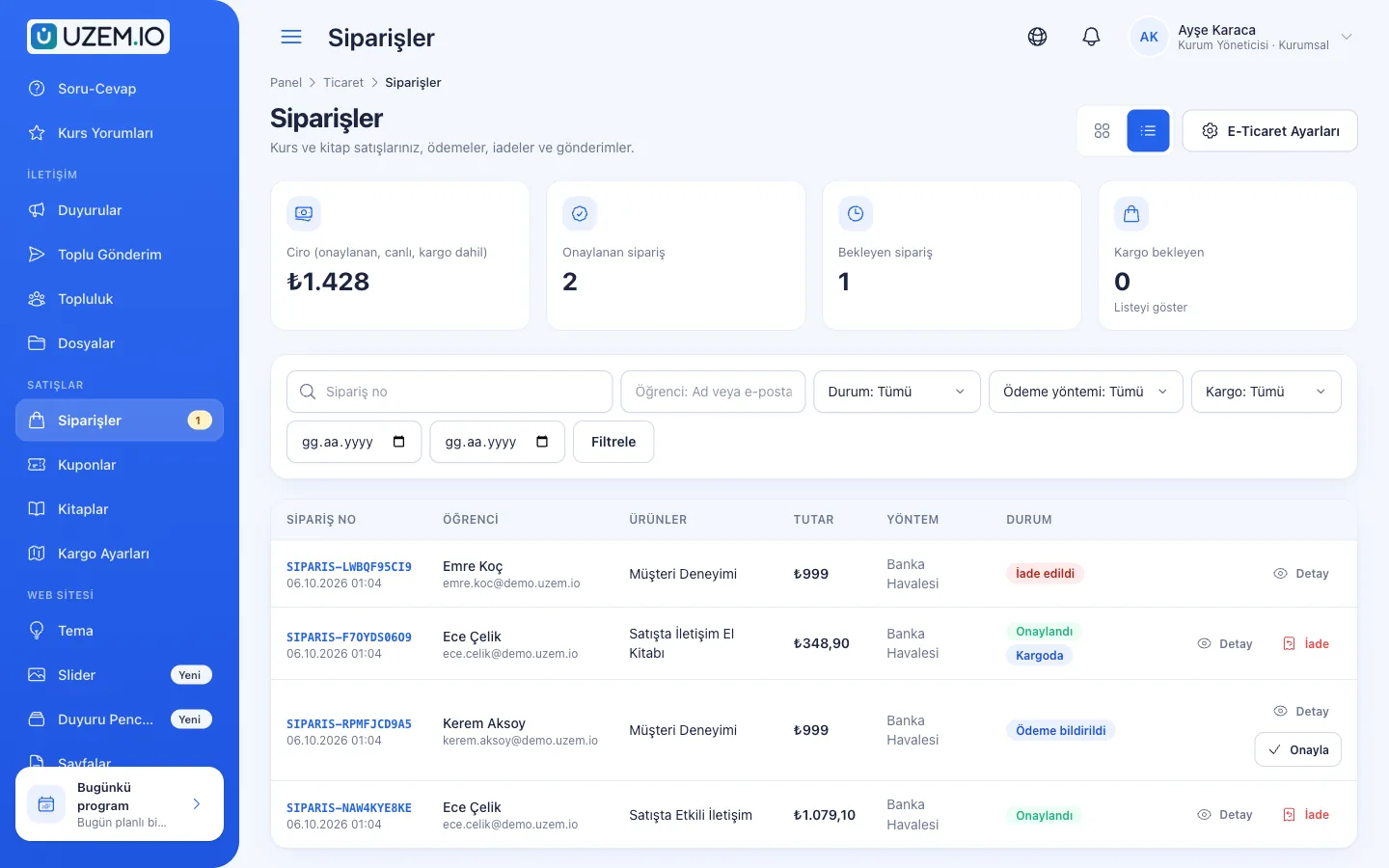
Overview
A sellable digital layer alongside the printed book
For publishers, the real challenge is not producing content but delivering it consistently to the students who buy the book and to school projects. When videos are scattered across different platforms, your brand becomes invisible and you cannot tell who watched what. With UZEM you bring topic lessons, problem-solving sessions and online practice exams together in one academy under your brand, and sell digital packages and printed books from the same cart.
- Book and digital package together Define the printed book as a shippable product and the video package as a course; students buy both in the same order. Orders that include a printed book are paid by bank transfer/EFT.
- An academy with your publishing brand With your logo, colors, font and, on paid plans, your own domain, your digital content opens with your publisher's identity.
- Protected video playback Topic lessons play through short-lived, user-specific links, making it harder to share video links with others.
- Online practice exam infrastructure Build timed practice exams from the question bank prepared by your editors, and decide when results are released.
- Bulk access for school projects Add a school as a unit and assign the digital package; all of the school's students are enrolled in the package automatically.
- Seasonal campaigns Create time-limited, usage-capped discounts with coupon codes for back-to-school or exam season.
- Live problem-solving broadcasts Run live problem-solving sessions over Zoom before exams; if Zoom cloud recording is on, the recording is added to the same package as a lesson.

Industry challenges and solutions
Problem
A printed book alone does not meet students' digital expectations.
Solution
Prepare video lessons and unit tests in the same order as the book's chapters and offer them as a digital package; students pick up where they left off.
Problem
Selling digitally requires building a separate e-commerce site.
Solution
Define books as products with shipping settings and digital packages as courses; sell both in the same cart and track shipping details on the order. Orders that include a printed book are paid by bank transfer/EFT.
Problem
Results of optical-form practice exams reach students days later.
Solution
In an online practice exam, publish results immediately or on a date you set; you choose whether to show correct answers and explanations.
Problem
Questions accumulated over years sit in scattered files.
Solution
Move questions into the question bank by topic group and difficulty level, with explanations; pick different questions from the pool for each exam.
Problem
Students ask for problem-solving support during exam periods.
Solution
Open weekly live problem-solving sessions; if Zoom cloud recording is on, recordings are linked to the lesson and can be watched throughout the review period.
Problem
It is unclear whether the digital content given to schools is being used.
Solution
Track each school as a separate unit; export video progress and practice exam scores with a school filter and share them with school administrators.
Who uses it?
Digital Publishing Manager
Plans digital packages matched to book series, manages the storefront and campaign calendar, and evaluates sales and usage data.
Editors
Build the unit structure in the same order as the book, enter questions into the bank with learning outcome and difficulty tags, and prepare practice exams for publication.
Authors and Instructors
Record topic and problem-solving videos and run weekly live problem-solving sessions with Zoom.
School Projects Team
Opens schools that use your books as units, places students, and reports practice exam results by school.
Students
Watch the video matching the unit in the book, take online practice exams, and see their results and answer explanations on their dashboard.
Teachers
Attend the publisher's professional development training such as assessment and evaluation, and recommend the digital content as an additional resource in class.
Use cases
- Unit-by-unit book support videos Publish topic lessons and problem-solving strategies for each book as a course; sell them with the book or on their own.
- Online practice exam series Schedule the practice exams that open throughout the term with date ranges and sell the series as a bundle course in one package.
- Live pre-exam boot camp Open an intensive live problem-solving program in the final weeks; make attendance paid and, if Zoom cloud recording is on, add the recordings to the program.
- Book and digital package campaign Announce the book and digital package with a pop-up before back-to-school or the exam calendar, and offer a discount with a time-limited coupon code.
- School projects Add students from schools that adopt your books to units, assign the digital package by school and report the results.
- Teacher training Offer professional development training such as question writing and interpreting results to teachers who use your books.
Features
Features you'll use
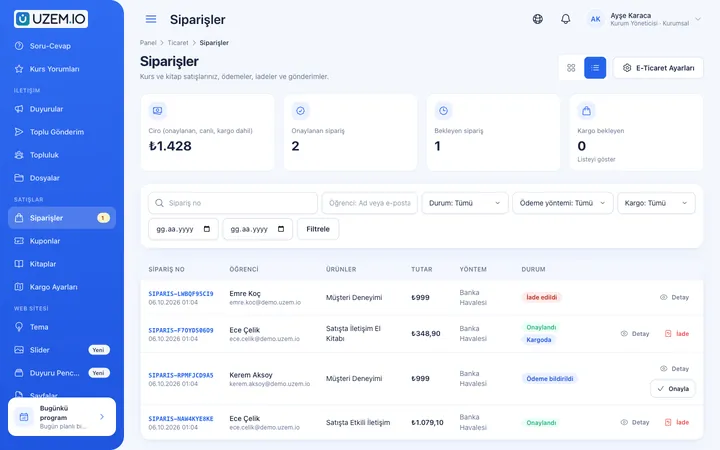
Course Sales
Sell courses from your own academy with a cart, coupons, bank transfer or card payments through your own PayTR or iyzico account, and printed books by bank transfer.
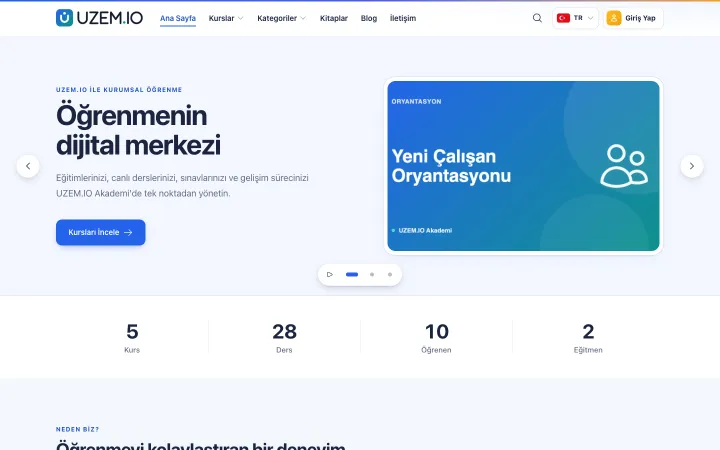
Course Storefront
Manage your academy's public website with a course catalog, course landing pages, sliders, pop-ups, a blog and FAQs.
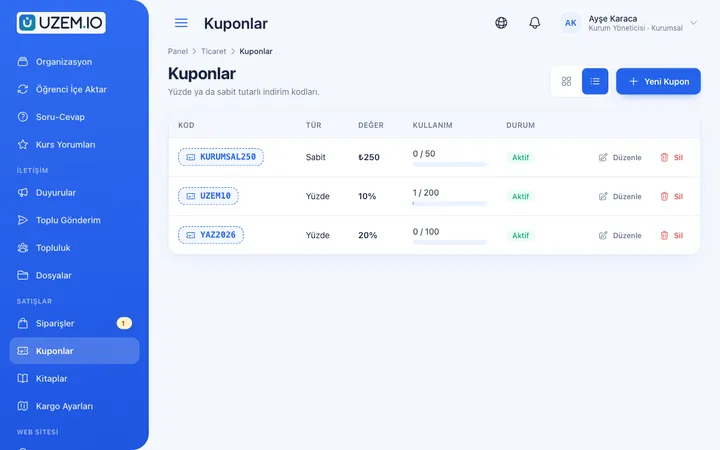
Coupons
Create percentage or fixed-amount discount coupons, and keep your promotions under control with usage limits and validity dates.
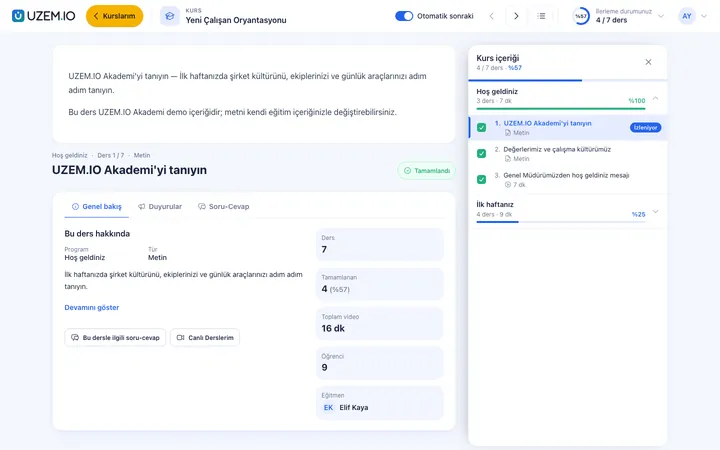
Video Training
Publish your video lessons through signed, short-lived links; record real watch time and complete lessons at 90% viewed.
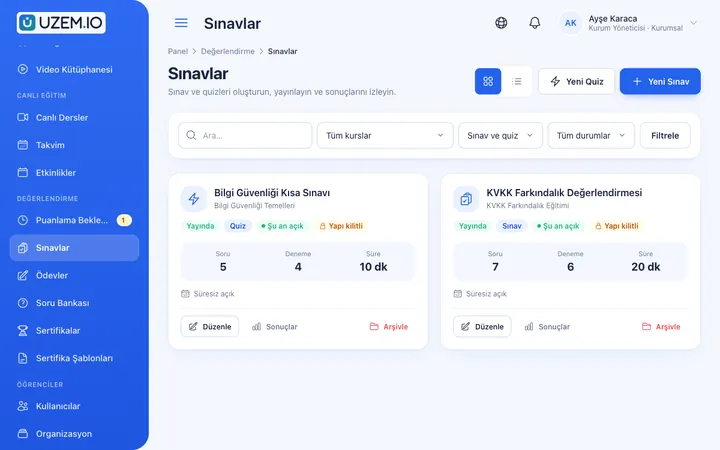
Exams
Measure learning with timed exams and quizzes; you decide the passing score, attempts, question shuffling and result visibility.
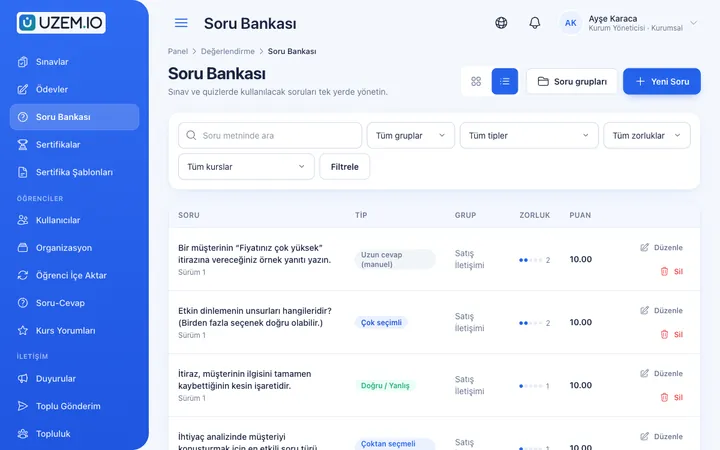
Question Bank
Prepare your questions once with groups, difficulty levels and explanations, then reuse them across different exams.
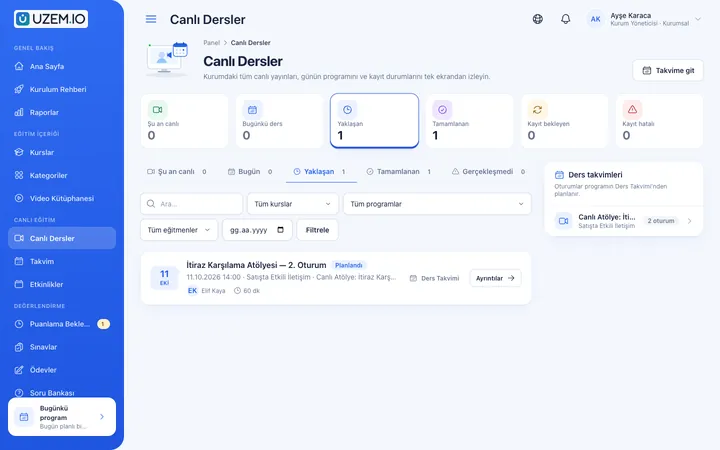
Live Training
Schedule live sessions inside your courses with your own Zoom account; attendance is recorded and, when Zoom cloud recording is on, the recording is added to the lesson automatically.
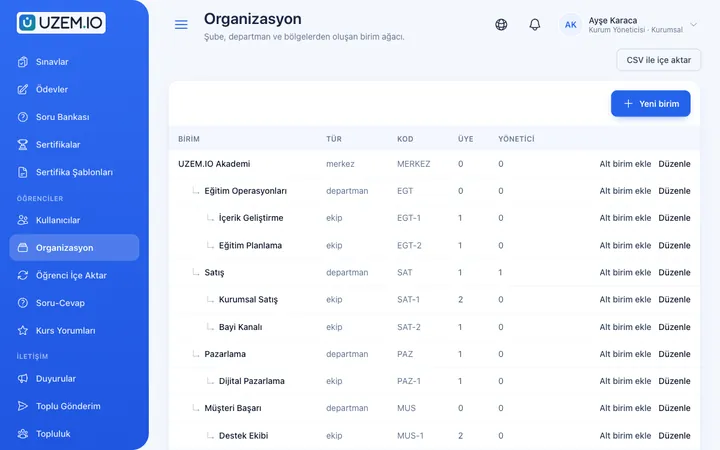
Organization Units
Build your departments, branches, regions and stores as a unit tree; assign training to units and let managers follow their own units in read-only mode.
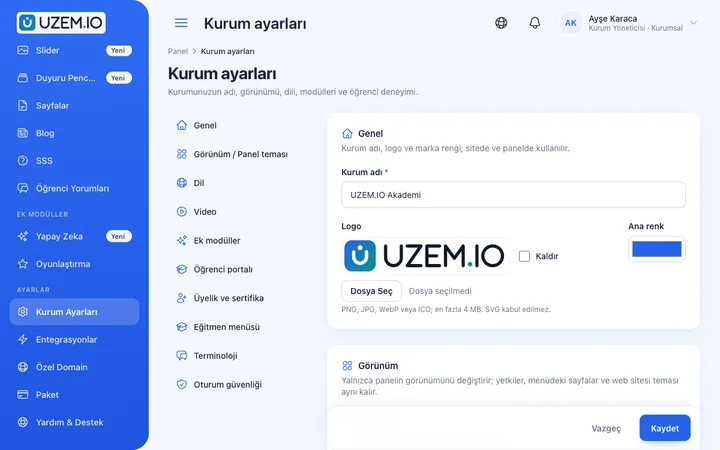
Branding and Appearance
Present your academy under your own brand in every plan with your logo, favicon, colors and fonts; on paid plans, connect your own domain too.
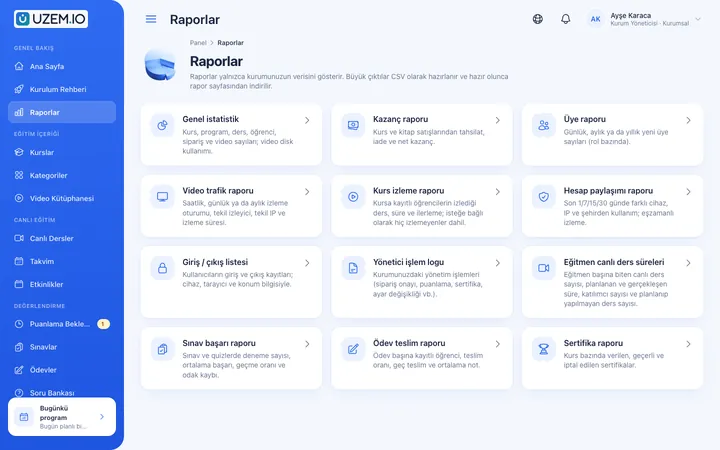
Reporting
Report on course progress, video viewing, exams, assignments, certificates, live sessions and sales; export to CSV, Excel or PDF, or get reports by email weekly or monthly.
Security and Access
Control who accesses your academy and from where with two-factor authentication, a single-session rule, watermarked and signed video playback, and sign-in and account sharing reports.
This structure comes ready with your academy
No credit card required; explore a dashboard set up with sample content right away.
Sample academy
How your academy is prepared
When you open an account with this industry, the structure below is set up as a draft; you adjust everything to fit your organization.
6 units · 6 categories · 3 sample courses
Publishing teams and school projects
Define your publishing, editorial and instructor teams as units, and add each school that uses your books as a separate unit under School Projects. When you assign the digital package to the School Projects unit, all schools are covered, and students added to a school later are enrolled in the package automatically. If you make the school coordinator a unit manager, they see only their own students' results.
Sample structure: Sample Publisher → Publishing / Editors / Instructors / School Projects (Sample High School)
- Book Support Videos – Paragraph UnitLessons on main and supporting ideas, question stems and distractor options, with a unit assessment test.
- Live Problem-Solving SessionWeekly live sessions, preparing for class, studying from recordings and a weekly review routine.
- Assessment and Evaluation for TeachersClear question stems, strong distractors and interpreting results beyond the class average.
- LGS Turkish Practice Exam SeriesPractice exams that open within date ranges, with time limits and question explanations shown with results.
- TYT Mathematics Topic Lesson PackageShort videos that follow the units in the book, with a short test at the end of each unit.
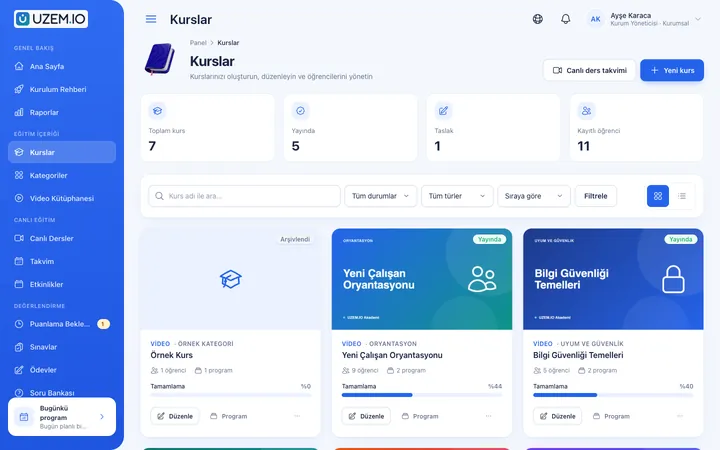
Measure and document learning
- At least one of the sample courses comes with a short quiz; you edit the questions in the question bank.
- You set the passing score, number of attempts and question shuffling.
- Those who complete receive a certificate verifiable by QR code; the template comes ready.
- You open assignments for hands-on work and grade the submissions.
Sales, views and practice exam results in one place
See the earnings report for digital packages and books, which videos students watched and for how long, and practice exam scores. For school projects, filter results by school unit and send them to school administrators as a CSV, Excel or PDF file.
- Book and package earnings reportShows sales amounts for printed books and digital packages by period; used for print runs and new content planning.
- Unit video viewing reportShows how much each unit video was watched; the editorial team adds rarely watched lessons to the refresh list.
- Practice exam results by schoolFilters the practice exam scores of students in school projects by school unit; the CSV file is sent to school administrators.
- Digital package member reportLists students enrolled in a digital package; helps you identify accounts to deactivate at the end of the season.
Your publisher academy is ready: Under Sample Publisher we set up the Publishing, Editors, Instructors and School Projects (Sample High School) units, plus the Book Support, Video, Practice Exam, Live Session and Professional Training categories. Start by arranging your storefront with the Paragraph Unit with its assessment test, the Live Problem-Solving Session and Assessment and Evaluation for Teachers samples.
Rollout steps
- Open the storefront with your publisher identitySet your logo and colors and, on paid plans, connect your domain; add your first book with shipping settings and your digital package with its price to the storefront.
- Move your question archive into the bankEnter questions by topic group and difficulty level, and build your first online practice exam from this pool.
- Upload videos in book orderCreate sections in the order of the book's units so students easily find the relevant video while following the book.
- Add schools and measureOpen project schools as units; track impact with the earnings report, video views and practice exam results.
Solutions for this industry
- Course Sales Sell courses, live training and books from your own storefront: cart, coupons, card payment through your own PayTR/iyzico account or bank transfer (bank transfer only for printed books), and order management in one dashboard.
- Launch an Online Academy Quickly launch an online academy under your own brand on a free UZEM subdomain, without setting up servers, a software team or a separate payment system; connect your own domain on paid plans.
- Student Training Bring lessons, assignments, exams and live classes together on a single student platform for schools, course centers and universities; see where every student stands in the progress report.
- Customer Training Cut down the “how do I use this” questions reaching your support team: open a branded training center that teaches customers your product with video lessons, short quizzes and certificates.
- Live Training Management If Zoom links, attendance lists and recordings are scattered everywhere: schedule live sessions inside the course, record attendance automatically and add the session recording to the lesson.
FAQ
Frequently asked questions
If your answer isn't here, check the help center or write to us.
Help centerDoes scanning the QR code in the book open the related video?
No, there is no feature for linking directly to a video from a QR code in the book. After signing in, students reach the videos from within the related course. To give book buyers access to the digital content, you can use the activation code module, enabled for your organization on request after a corporate conversation: a single-use code printed in or supplied with the book opens the courses you choose for a period you set, or without a time limit. You can download the codes as a CSV or Excel file and send them to print. A reader without an account enters the code and creates an account with SMS verification; this requires your organization’s own SMS account (Netgsm or Mutlucell).
Can we sell printed books with shipping?
Yes. You can define books as products, set shipping settings and track shipping details through the order. Orders that include a printed book are paid only by bank transfer/EFT.
Can we open digital content to schools in bulk?
Yes. When you add a school as a unit and assign the digital package to that unit, all students added to the school are enrolled in the package automatically.
Can each student get different questions in an online practice exam?
Yes. You can link the exam to a large question pool, send each student questions selected from the pool, and shuffle the order of the options.
How is unauthorized sharing of our digital content limited?
Videos open through short-lived, user-specific links for each playback, which makes link sharing considerably harder. No web-based system can fully prevent methods such as screen recording.
How are licenses calculated after the exam period ends?
Of the students who buy a package, only active ones count toward licenses. You can deactivate students whose exam period has ended and reactivate them when needed. Choose the capacity that fits the number of active students using digital packages from the plans on the Pricing page, and upgrade or downgrade your plan from the dashboard by season.
How do we bring over our existing video archive and question pool?
Upload unit videos from the admin dashboard, and attach solution sheets and answer keys to the related course as PDFs. Practice exam questions are entered into the question bank with their images and solution explanations; there is no import of ready-made course packages from another system.
Which payment and communication channels can we connect for book sales?
Orders that include a printed book are paid only by bank transfer/EFT; you set up your bank details for this. To sell digital packages by card, you connect your own PayTR or iyzico account, and payments go directly to your organization’s account. Readers can message you with the WhatsApp button on the storefront. We do not offer a ready-made connection to your dealer or distribution software or to marketplaces; you can export the sales breakdown from the earnings report as a CSV, Excel or PDF file.
Industries in the same group
Get started now
Set up your academy for Publishing today
Start on the free plan with no time limit and upgrade whenever you like.
- Free plan with no time limit
- No credit card required